
Cypress vs Playwright Advent Calendar Day 13
Hovering over an item before deleting it

Let’s test deleting “todo” items. When the user hovers over an item, the “x” button appears on the right side.
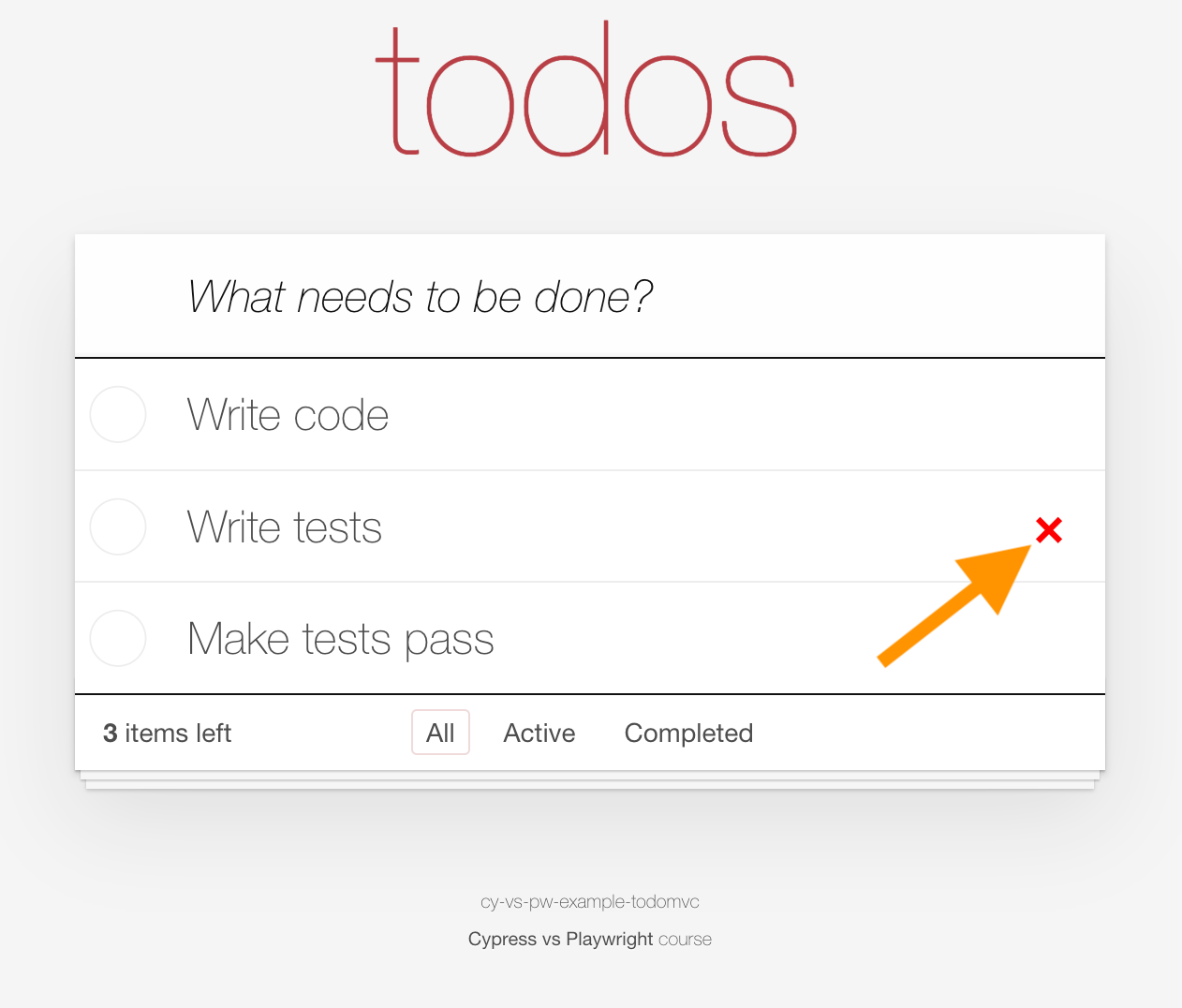
Playwright deletes an item
We will use a JSON fixture to start with N items. After deleting one item, N-1 items should remain
import { test, expect } from ‘@playwright/test’
import todos from ‘../fixtures/3-todos.json’

expect(todos.length, ‘have a few todos’).toBeGreaterThan(2)

test.describe(’TodoMVC’, () => {
  test.beforeEach(async ({ request }) => {
    await request.post(’/reset’, { data: { todos } })
  })

  test(’delete a todo’, async ({ page }) => {
    const items = page.locator(’.todo-list li’)
    await page.goto(’/’)
    await expect(items).toHaveCount(todos.length)

    await items.first().hover()
    await items.first().locator(’.destroy’).click()
    await expect(items).toHaveCount(todos.length - 1)
  })
})
Cypress deletes an item
import todos from ‘../../fixtures/3-todos.json’

// confirm we have a few todos imported
expect(todos, ‘have a few todos’).to.have.length.greaterThan(2)

describe(’TodoMVC’, () => {
  beforeEach(() => {
    cy.request(’POST’, ‘/reset’, { todos })
  })

  it(’deletes a todo’, () => {
    const items = ‘.todo-list li’
    cy.visit(’/’)
    cy.get(items)
      .should(’have.length’, todos.length)
      .first()
      .find(’.destroy’)
      .click({ force: true })
    cy.get(items).should(’have.length’, todos.length - 1)
  })
})
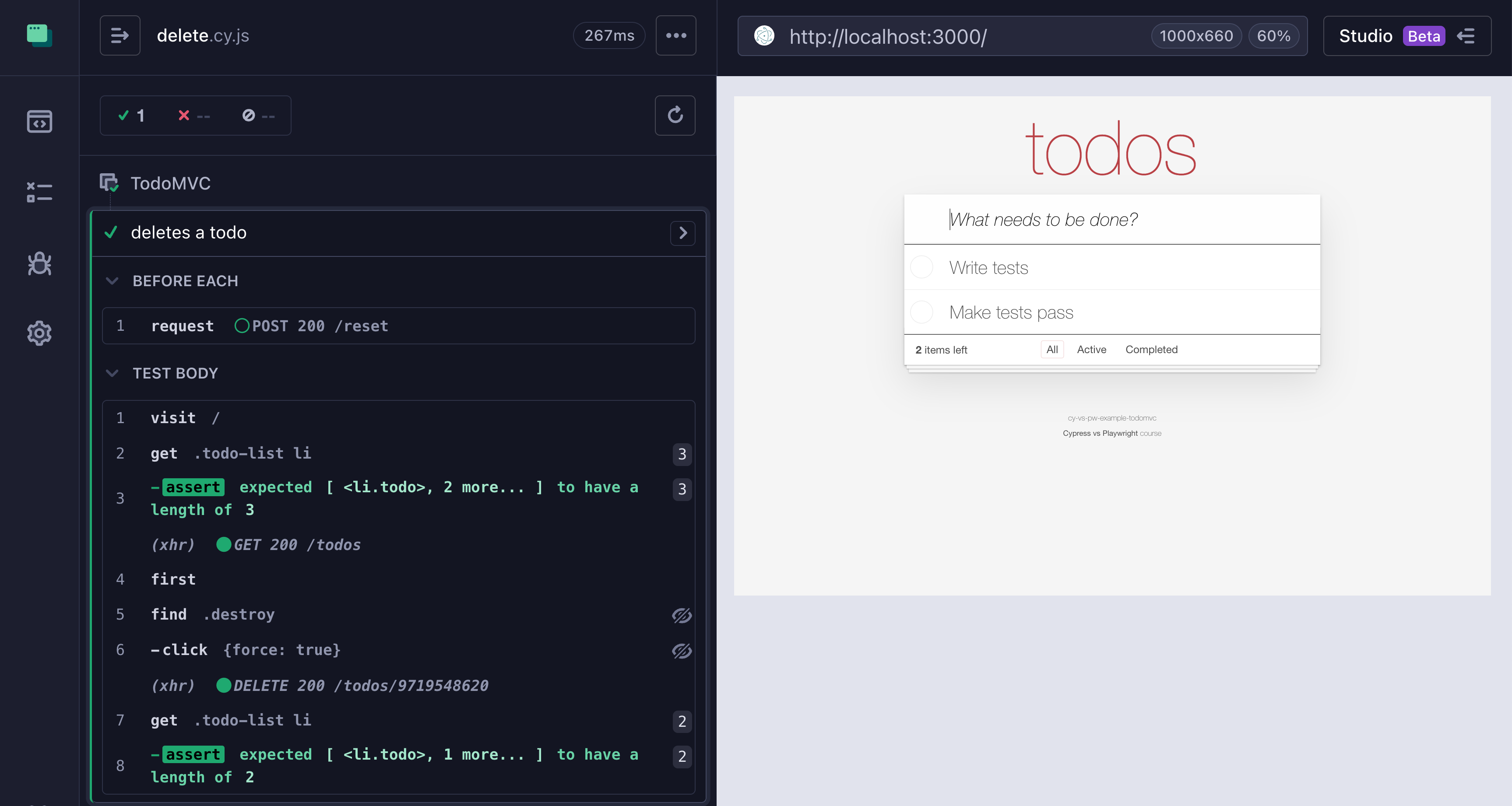
Cypress does not have the cy.hover command yet, so we are forced to use the .click({ force: true }) option to click on the button without checking if it is visible yet. The Command Log warns us that the item was invisible (the crossed eye icon next to the CLICK command)
Under the hood, Cypress does have a Chrome Debugger Protocol (CDP) connection that it uses to control the browser. This is the same protocol that Playwright uses for all its commands. You can use CDP commands manually or via a plugin that simplifies it for you. Two most popular plugins are cypress-cdp and cypress-real-events. Let’s use cypress-real-events which adds hover and all “missing” native browser commands to Cypress to rewrite our test
import todos from ‘../../fixtures/3-todos.json’
import ‘cypress-real-events’

// confirm we have a few todos imported
expect(todos, ‘have a few todos’).to.have.length.greaterThan(2)

describe(’TodoMVC’, () => {
  beforeEach(() => {
    cy.request(’POST’, ‘/reset’, { todos })
  })

  it(’deletes a todo’, () => {
    const items = ‘.todo-list li’
    cy.visit(’/’)
    cy.get(items)
      .should(’have.length’, todos.length)
      .first()
      .realHover()
      .find(’.destroy’)
      .click()
    cy.get(items).should(’have.length’, todos.length - 1)
  })
})
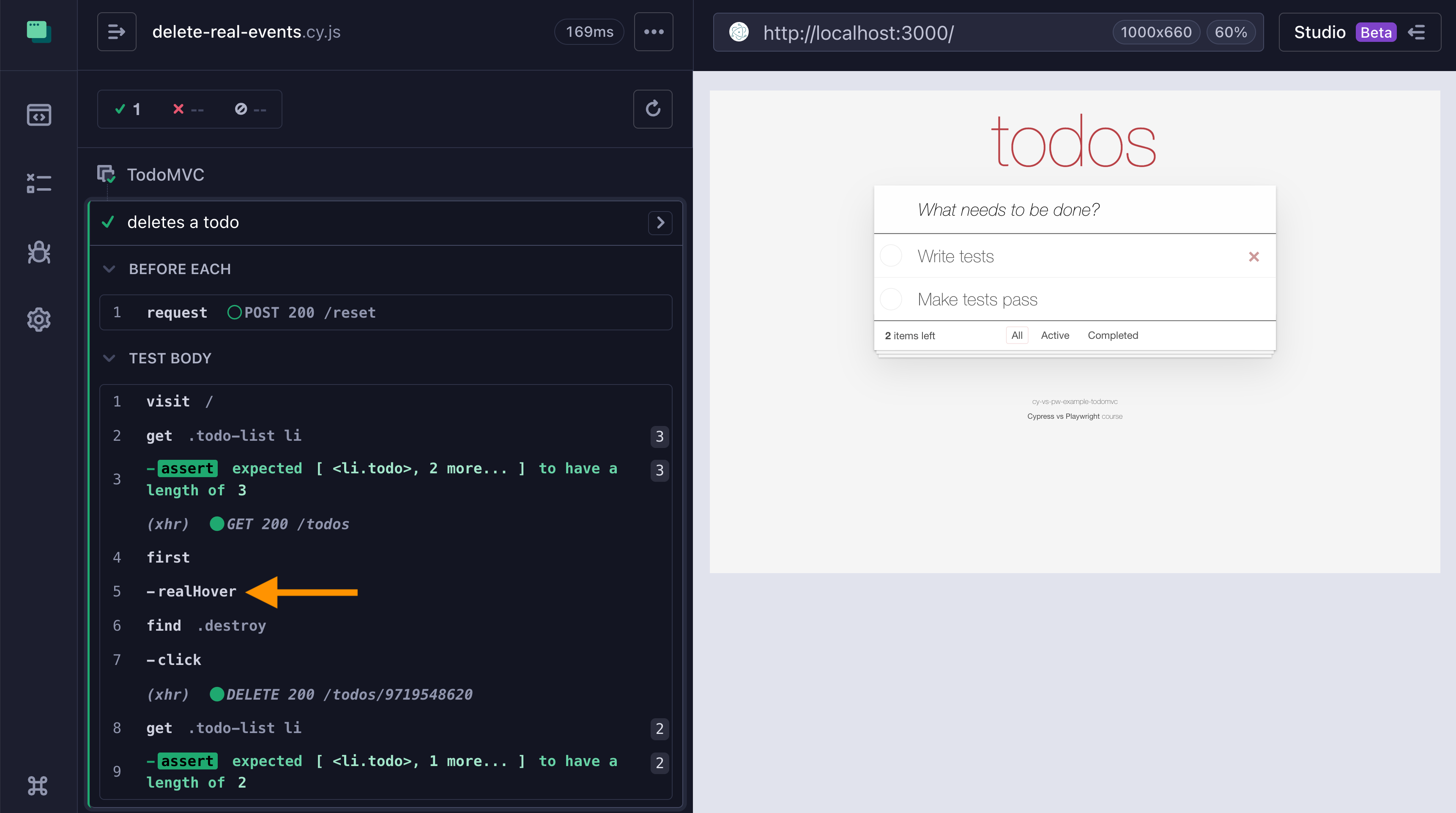
The custom command “realHover” is shown in the Command Log
Easy.
Aside: cypress-real-events plugin was coded by Dmitriy Kovalenko who is an absolute rock star developer.
This advent calendar is based on my online course “Cypress vs Playwright“ and open-source workshop bahmutov/cypress-workshop-cy-vs-pw. You can find links to the previous advent calendar days in my blog post “Cypress vs Playwright Advent Calendar 2025“.
Really solid breakdown here! The CDP layer detail is super intresting since it shows both tools are basically talking to the browser same way under the hood. I've been hitting that force click workaround alot when dealing with UI that reveals stuff on hover. The realHover thing is kinda game-changing tho, makes tests way more readable.