
Cypress vs Playwright Advent Calendar Day 16
Check the data sent by the server to the browser

Yesterday we waited for GET /todos network call. Let’s confirm the data sent by the server by inspecting the response body.
Checking network response in Playwright
We already set up a spy and waited for the network call. Now we need to grab the response data and compare it to the fixture array.
const { test, expect } = require(’@playwright/test’)

import todos from ‘../fixtures/3-todos.json’

test(’GET /todos call’, async ({ page, request }) => {
  await request.post(’/reset’, { data: { todos } })
  const getTodosPromise = page.waitForResponse(’**/todos’)
  await page.goto(’/’)
  const response = await getTodosPromise
  const items = await response.json()
  expect(items, ‘same items’).toEqual(todos)
})
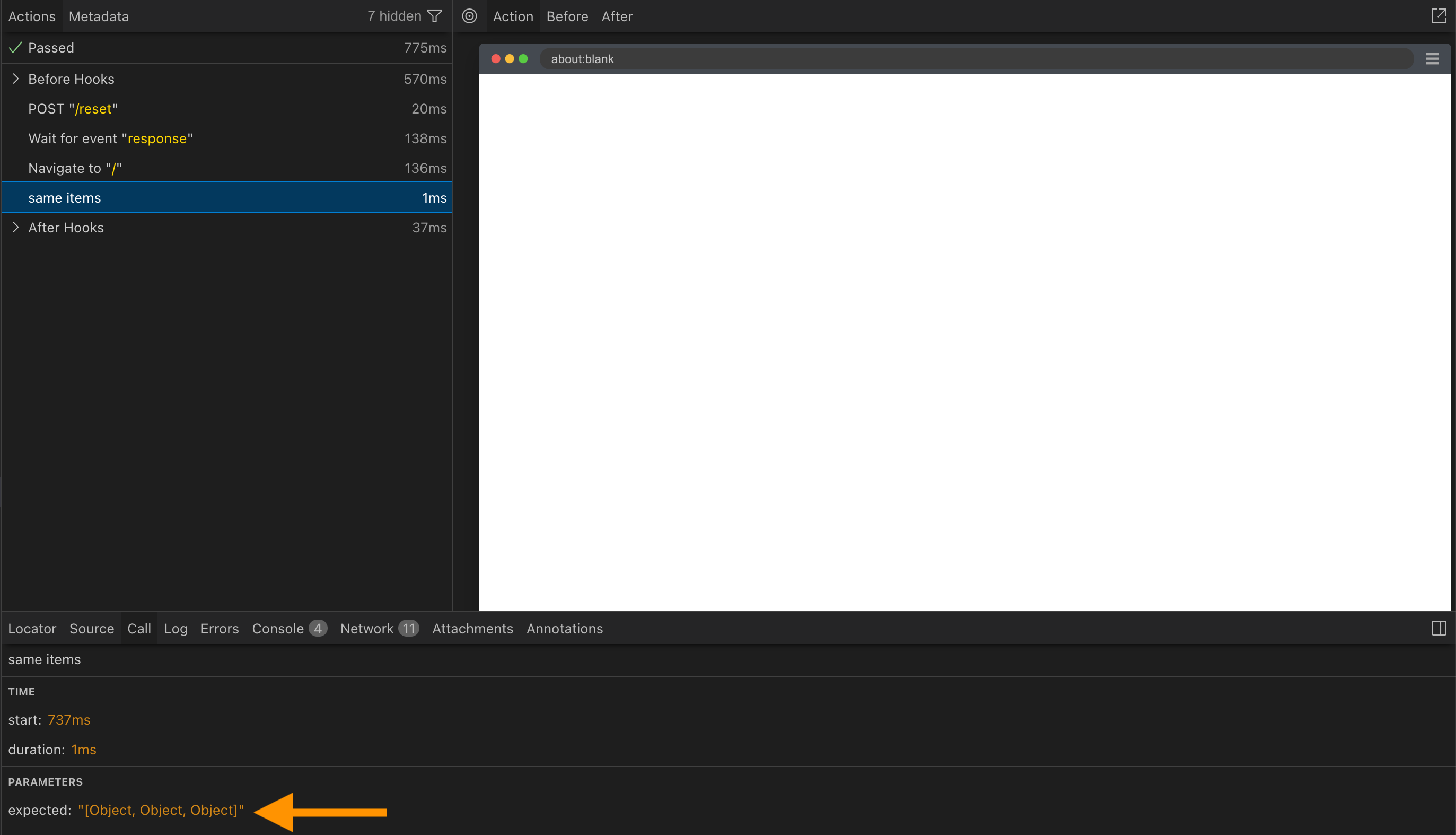
The Playwright UI is pretty sparse and simply shows [Object, Object, Object] for the expect(items, ‘same items’).toEqual(todos) assertion.
Checking network data in Cypress
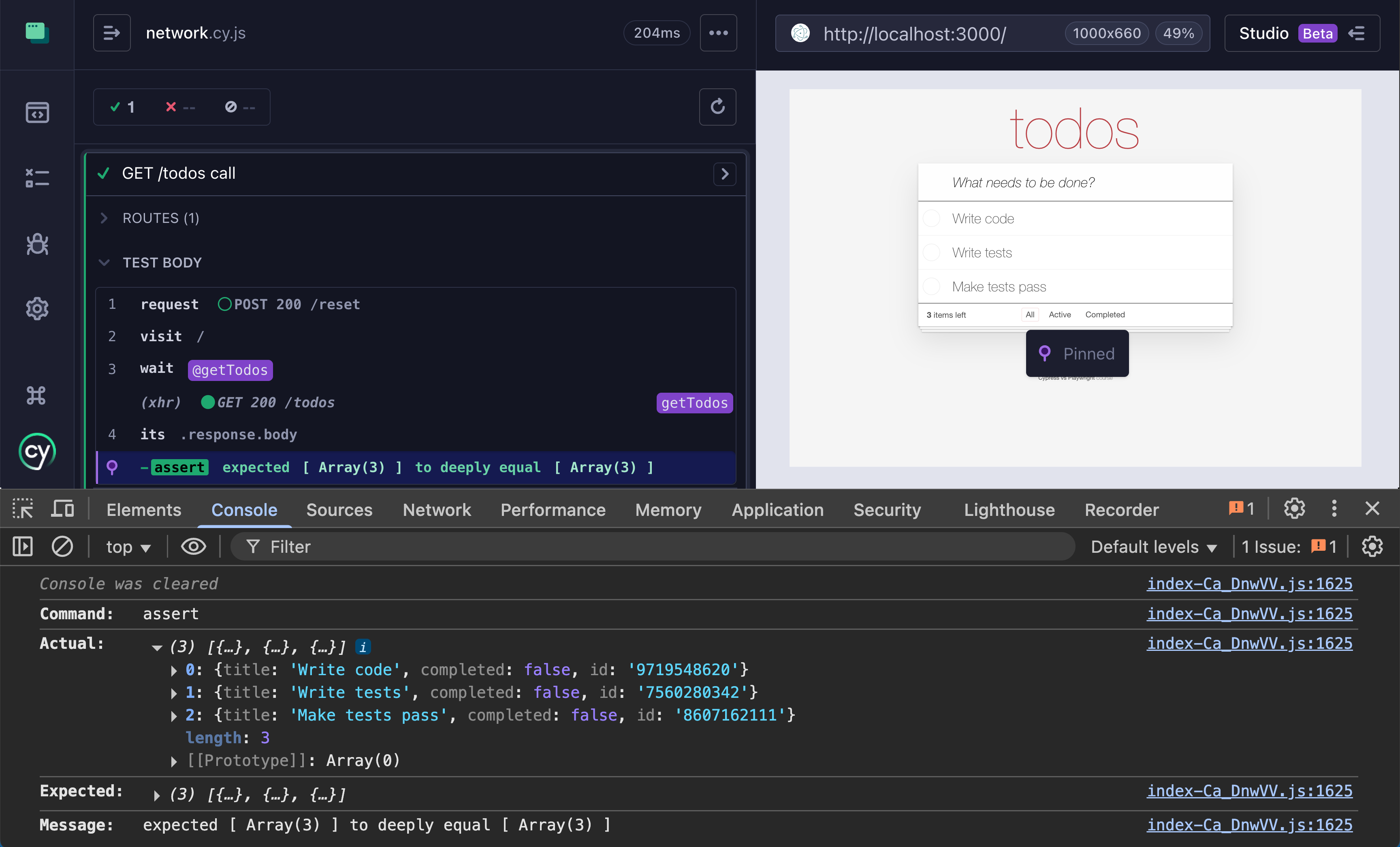
The cy.wait(network alias) command yields the entire network call object, from which we can get the response property using cy.its command and drill into it. We must be careful and use “deep.equal” assertion, because JavaScript compares objects by reference by default.
import todos from ‘../../fixtures/3-todos.json’

it(’GET /todos call’, () => {
  cy.request(’POST’, ‘/reset’, { todos })
  cy.intercept(’GET’, ‘/todos’).as(’getTodos’)
  cy.visit(’/’)
  cy.wait(’@getTodos’).its(’response.body’).should(’deep.equal’, todos)
})
You can see the full arrays by clicking on the “EQUAL” assertion; the objects are dumped into the browser’s DevTools console
This advent calendar is based on my online course “Cypress vs Playwright“ and open-source workshop bahmutov/cypress-workshop-cy-vs-pw. You can find links to the previous advent calendar days in my blog post “Cypress vs Playwright Advent Calendar 2025“.